


- We require a copy of your passport and visa before delivery
- Link to upload documents sent after placing order
- You must turn on roaming for the SIM
Helpdesk
TSIM’s customer service agents can be reached via:
Email: services tsim.in
Chat: https://www.tsim.in
Phone: +91 22 24216344 / +1 646 918 1335 / +44 203 773 2460.
What is an eSIM?
eSIM stands for “embedded” SIM which is installed in your phone by scanning a QR code or tapping a notification. If an activation date is required the QR code / Notification is sent after activation, else 24hours after completing your documentation.
eSIM Advantages
- Easy to use: Set up your plan by scanning a simple QR code or tapping a notification.
- Save on Shipping cost: No physical delivery requirement
- Save on time: In a rush to travel? We will send eSIM QR Code via email. Scan it as per instructions and It will be ready to use upon arrival.
- Keep your original SIM: The eSIM is in addition to your original SIM which will work as usual if you need it.
eSIM Disadvantages
- Unfamiliar: Since it is a new technology expect to be learning a bit.
- eSIM Compatible Phones: eSIM will only work in eSIM compatible phones. As a general rule, iPhone 11 and Android model 2021 and higher models are compatible with eSIM.
- Single Use Only: Most eSIM codes can be used only once. Please do not delete the eSIM created on your phone, since it cannot be recreated on your phone or any other phone. However you can de-activate the eSIM when not needed from your settings.
- Transfer of eSIM: Transfering an eSIM from one phone to another is usually not possible. However some eSIMs can be transferred from one iPhone to another.
Checking if your phone has eSIM capability
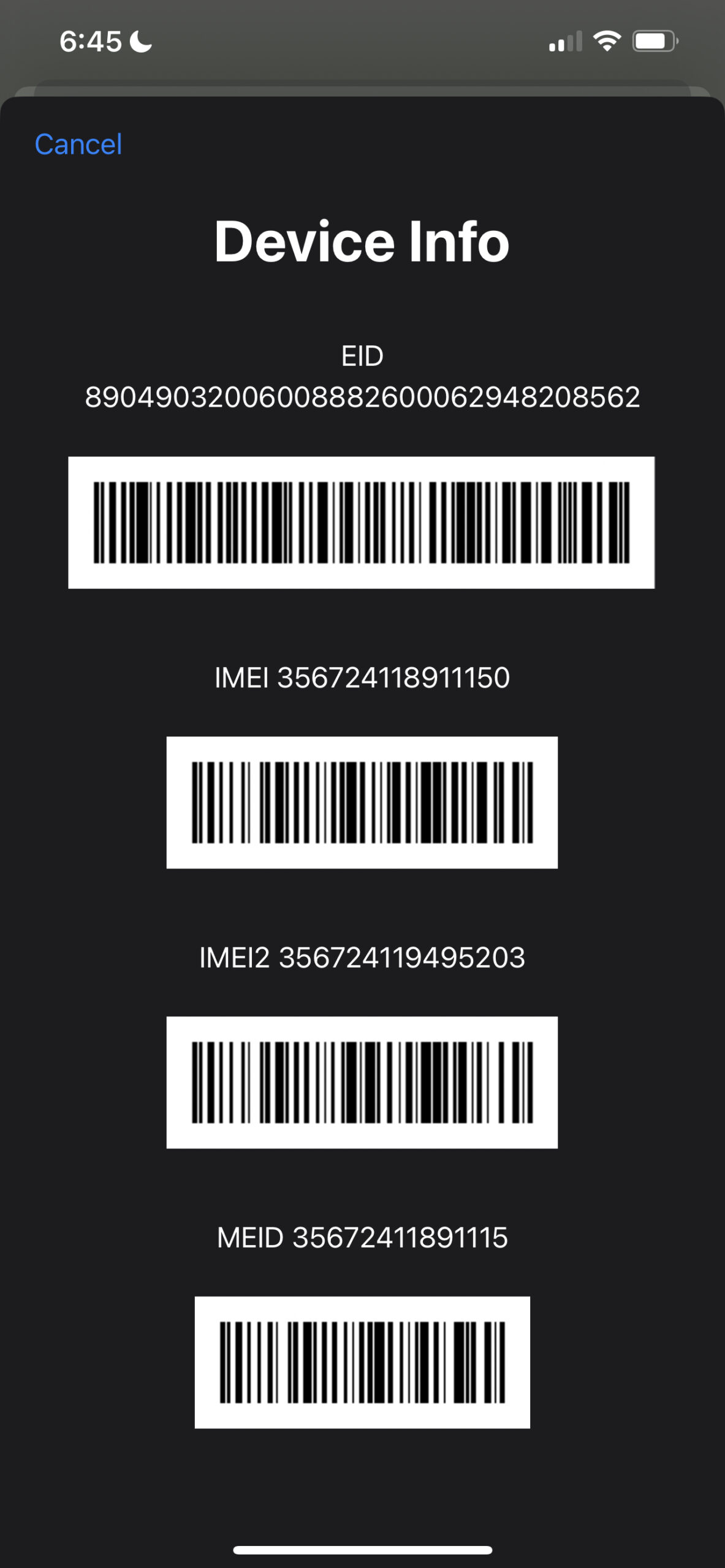
Dial *#06#. If you see an EID number popup, it means your phone has eSIM capability.
Installing your eSIM
Installing eSIM via InstaSIM
eSIMs can be conveniently claimed and tap-to-installed using TSIM InstaSIM App. Download and login using phone number provided while ordering.
Download InstaSIM app
Retrieve your eSIM, tap-to-install, get support, make outbound calls even on data SIMs, and more with TSIM’s InstaSIM App

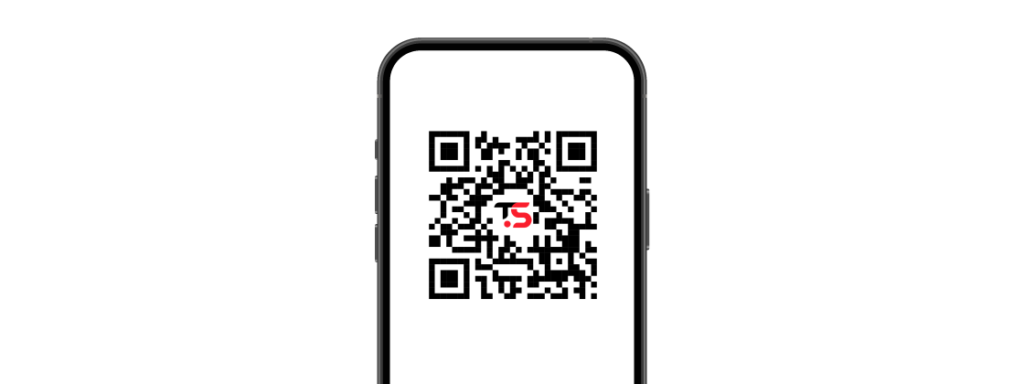
Installing eSIM by tapping on Install Link sent via eMail
eSIMs can be conveniently installed by tapping on the install link sent to you by our helpdesk by eMail. The install link must be tapped on the phone you intend to install the eSIM on. You need an Internet connection to install an eSIM.
Installing eSIM using a QR Code sent via eMail
Most eSIMs are installed using a QR code. The QR code is sent to you by eMail. You need an Internet connection to install an eSIM. The eSIM may stay in activating state till you reach your destination.
iPhone XR, XS and newer
- Go to Settings, then Cellular.
- Select Add a plan, and the Camera app will open.
- Point your camera at the QR activation code until you see a message that says Installing cellular plan.
2021 Android and newer
- Go to Settings > Connections > SIM card manager
- Tap Add mobile plan
- Tap Add using QR code
- Scan the QR activation code
Installing eSIM using an Operator Notification
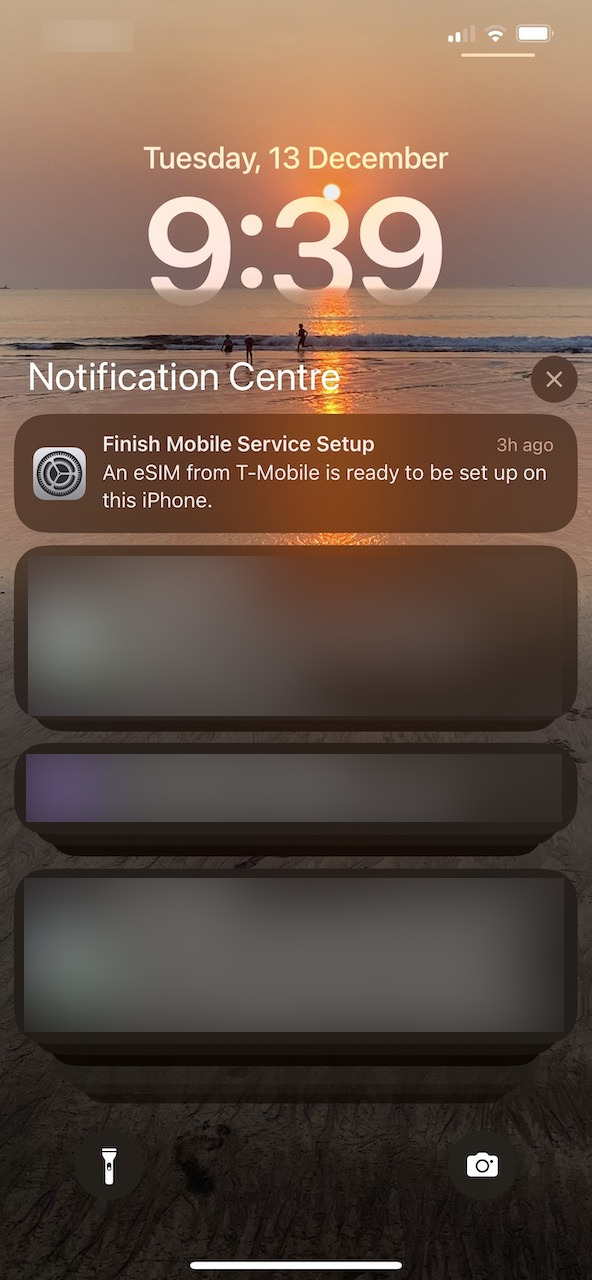
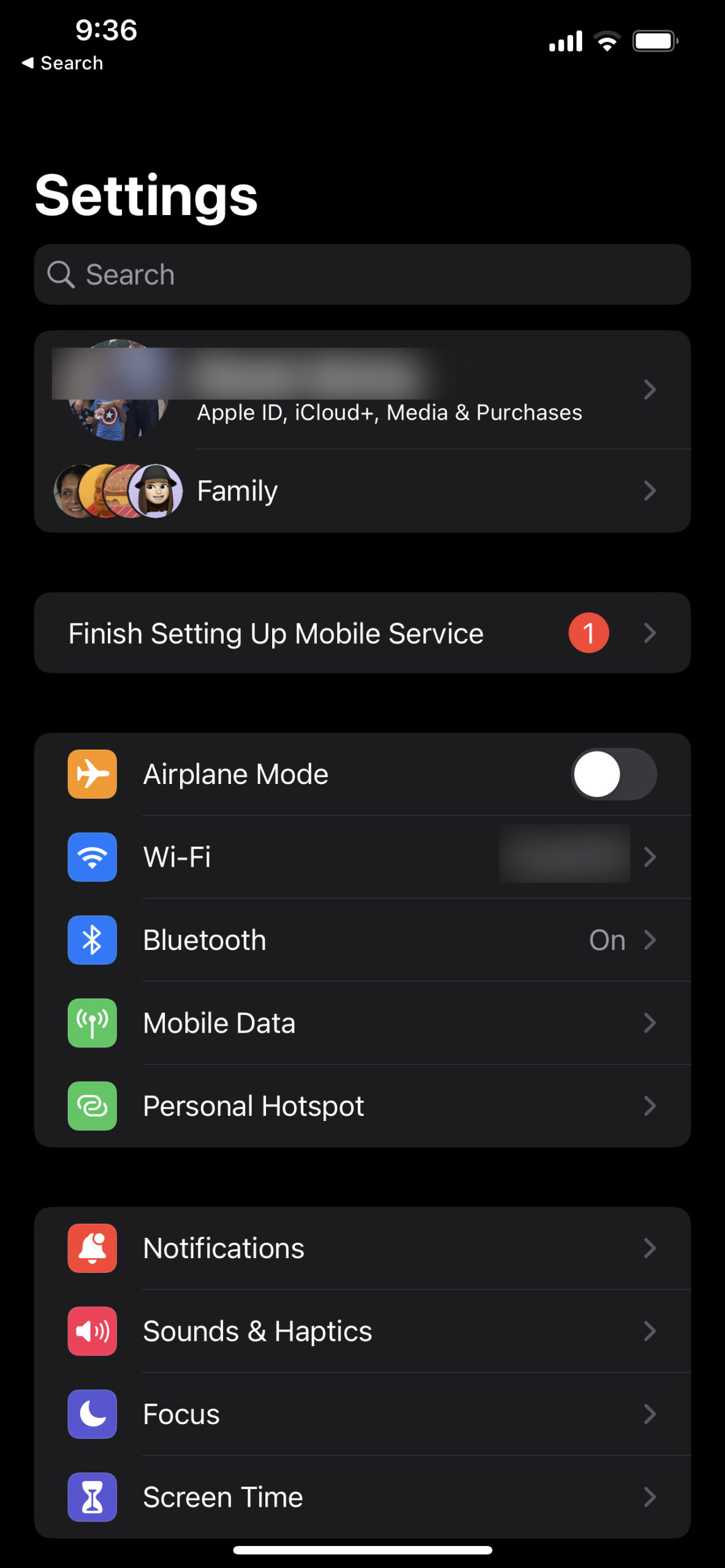
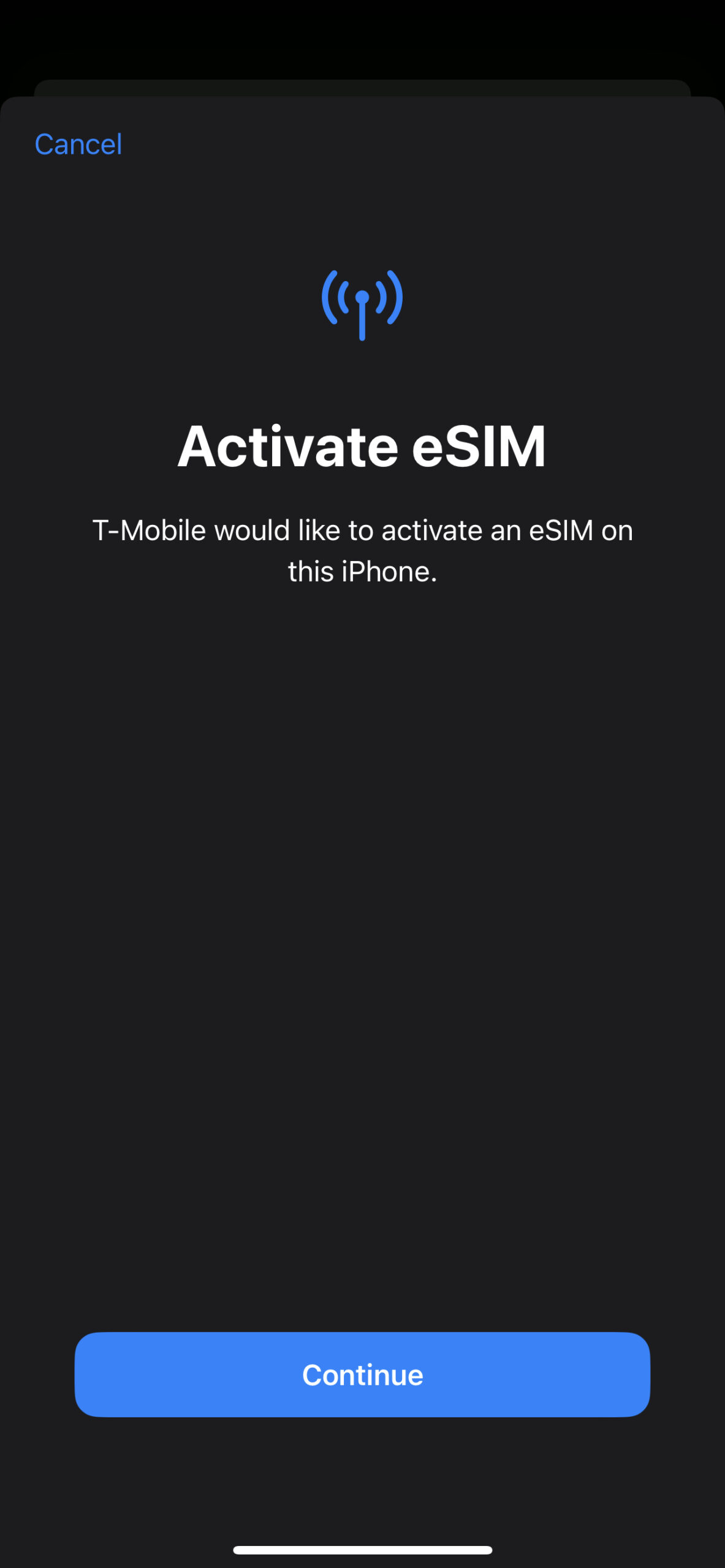
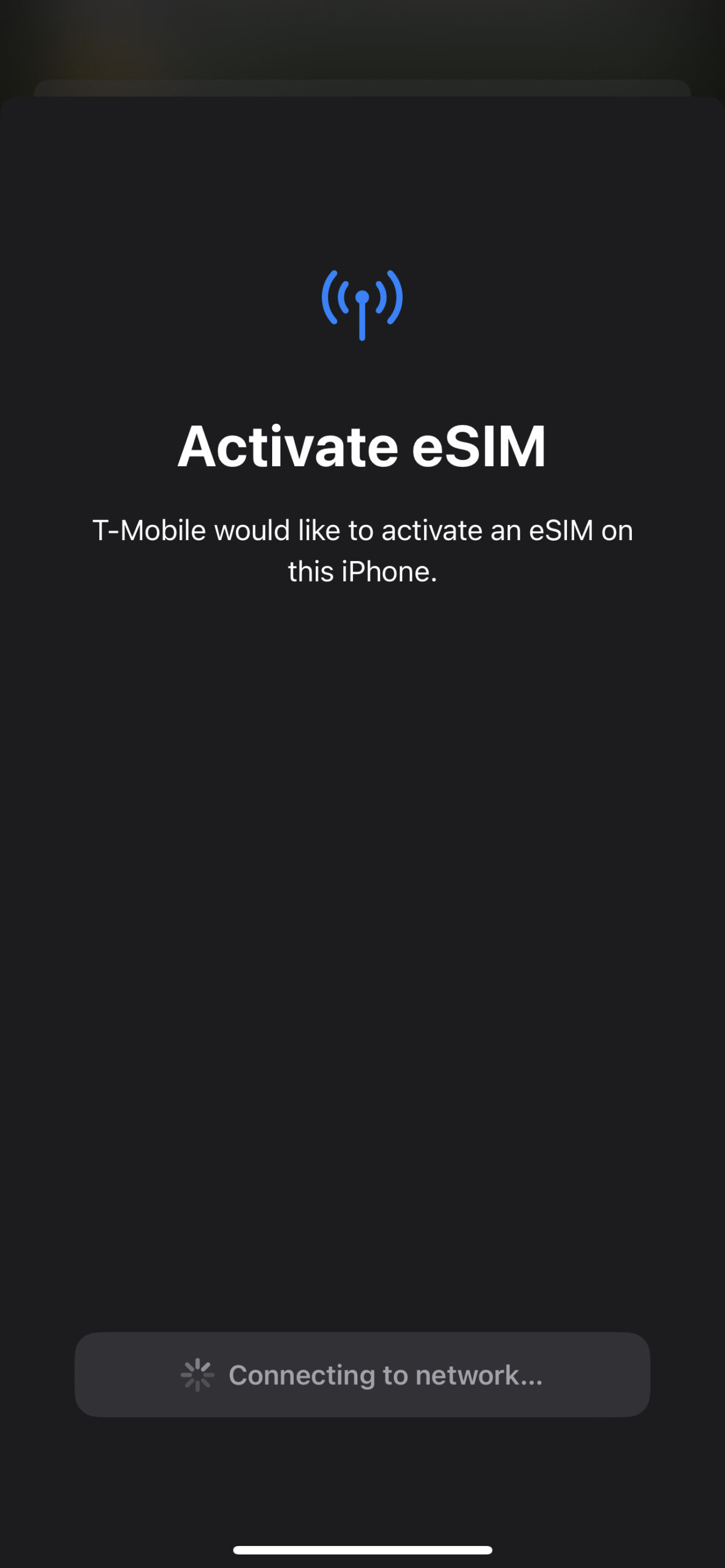
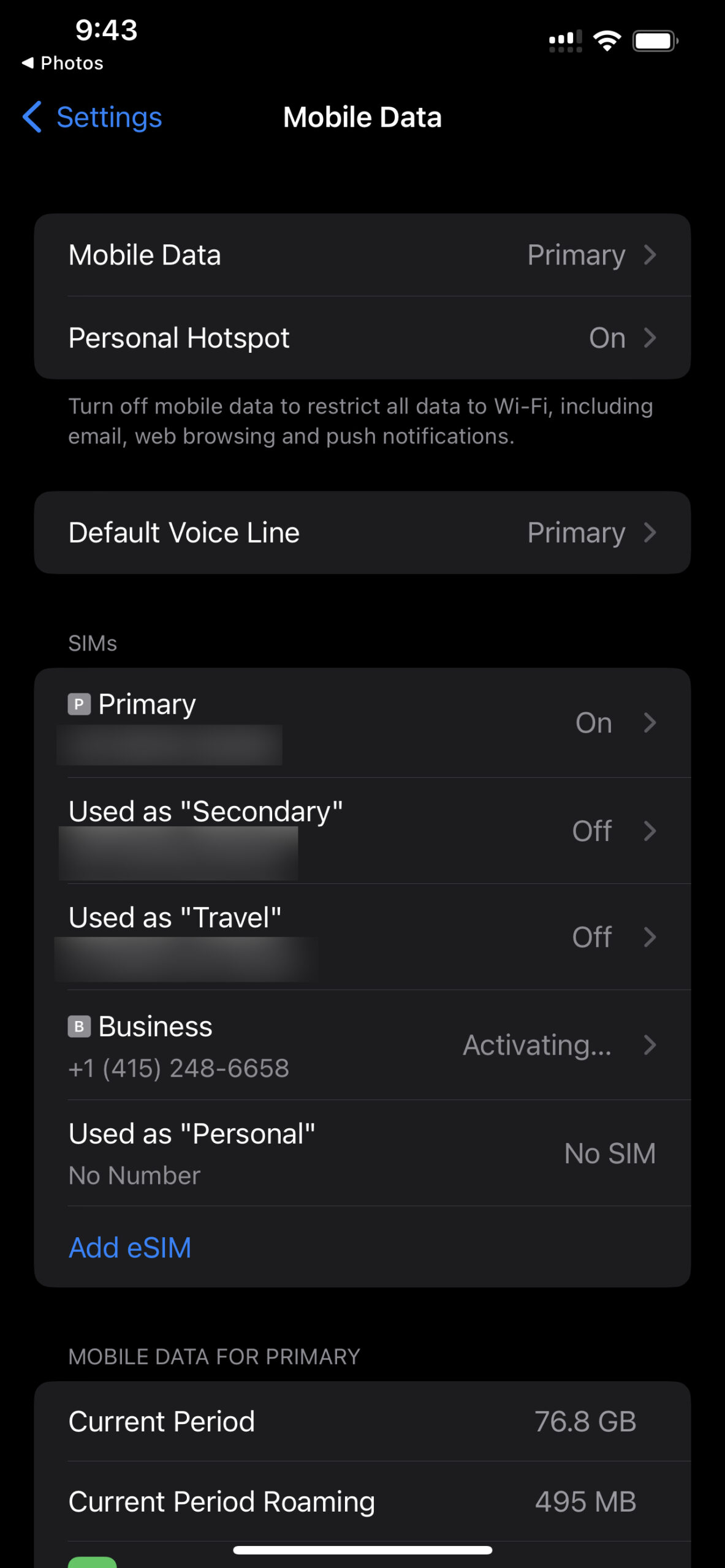
T-mobile, AT&T and some other operators make it even simpler to install eSIMs. They send a notification directly to your phone. Just tap on the notification and follow the instructions as in images below. The notification is sent to the phone you intend to use on your trip for which you have given us the EID and IMEI number by dialing *#06#. Click here to know why IMEI and EID numbers are needed. The eSIM may stay in activating state till you reach your destination.



Pankaj Pise (Verified user) –
Variation: Physical, Europe, Europe, 4GB + 60 Mins
🌍 Stayed connected with TSIM on my recent trip! The setup was quick, connectivity was reliable, and the promotional offers added extra value. A smooth and convenient experience overall. 📶✈️ #TravelTech #TravelSIM #ConnectedAnywhere #TSIM
Services Tsim (Verified user) –
Thank you for your kind review.
Mohammed Tufail Bhatkalkar (Verified user) –
Variation: eSIM, Europe, Europe, 4GB + 60 Mins
Helped a lot. Thanks
Services Tsim –
Thank you for your kind review.
Tejas Pawar (Verified user) –
Variation: eSIM, Oceania, New Zealand, 4GB + 60 Mins
Good coverage and easy installation
Services Tsim –
Thank you for your kind review.
EPURI VENKATA VINAY (Verified user) –
Variation: eSIM, Asia, Japan, 6GB
Excellent. Not even in a single buffer throughout the recharge.
EPURI VENKATA VINAY –
TSim is very good. And the data range is very good. Nit even a single buffer while watching YouTube videos.
Services Tsim (Verified user) –
Thank you for your kind words.
Astro (Verified user) –
Variation: eSIM, Europe, Europe, 6GB
Works amazing no issues at all
Services Tsim (Verified user) –
Thank you for your kind review.
Pranjal Saxena (Verified user) –
Variation: Physical, Europe, Europe, 6GB
Hassle free option for foreign sim connectivity.
Services Tsim (Verified user) –
Thank you for your kind review.
Annasab Gayakwad (Verified user) –
Variation: eSIM, North America, United States, 6GB
Awesome esim, I used it in USA and was working very well in all the states where I have visited. I have travelled to California, Nevada and Arizona.
A big thank you for t-sim as I got this card as free of cost with ICICI forex card.
Services Tsim (Verified user) –
Thank you for your kind words.
Jay (Verified user) –
Variation: eSIM, Europe, Europe, 6GB
Worked smoothly without any hassle – had strong internet connectivity at all the places during my stay in Norway.
Services Tsim (Verified user) –
Thank you for your kind review.
Balasubramanian (Verified user) –
Variation: Physical, Europe, Europe, 4GB + 60 Mins
I had a coupon code but couldnt recharge on my own to apply the coupon code. In app it allowed only for esim refill and not for physical som refill
Services Tsim (Verified user) –
It is true the Visa coupon cannot be used for refills. We apologise for the inconvenience and thank you for your balanced review.
Himanshu Khandekar (Verified user) –
Variation: Physical, North America, United States, Unlimited data + local Calls - 7 days
The SIM card performed exceptionally well in terms of signal, range, and call quality. Everything worked seamlessly on the network side.
The only major issue was that the phone number was previously owned or recycled. When I tried to log into apps like Uber, DoorDash, and Uber Eats, I was locked out because the accounts were already linked to the previous owner’s email address and required OTP verification. As a result, I couldn’t use Uber at all and had to rely on alternatives like Lyft.
Services Tsim (Verified user) –
We are sorry you were unable to connect to Uber etc. Thank you for your balanced review.
Rachit (Verified user) –
Variation: eSIM, Asia, Singapore, 4GB + 60 Mins
Doesn’t work at all
Services Tsim (Verified user) –
Your entire data package was used up, and Singapore requires VoLTE to be enabled on handset for calling. Thank you for your balanced review.
Lakshman (Verified user) –
Variation: eSIM, North America, United States, Unlimited data + local Calls - 7 days
The tsim worked great I was able to make calls and use data seamlessly without any hassle. The sim setup was smooth.
Services Tsim (Verified user) –
Thank you for your kind review.
Priyanka (Verified user) –
Variation: eSIM, Asia, Japan, 6GB
Sim didn’t work in Japan
Services Tsim (Verified user) –
We are sorry the SIM did not work for you. We request customers to get in touch with our helpdesk for trouble shooting, as it may be a simple step like enabling roaming that may have been left out. Thank you for taking the time to record your experience.
Pranam (Verified user) –
Variation: eSIM, Europe, Europe, 6GB
Great product. Surely going to use it again for my next trip as well.
Services Tsim (Verified user) –
Thank you for your kind review.
Anurag Sharma (Verified user) –
Variation: eSIM, Europe, Europe, 6GB
*First time user*
Worked as described.
Pleasantly surprised by the consistency.
Will recommend.
Services Tsim (Verified user) –
Thank you for your kind review.
BIRINDER SINGH THIND (Verified user) –
Variation: eSIM, Asia, Indonesia, 4GB + 60 Mins
Used in Bali, Indonesia. Easy to use & no network issue . Just requesting to make it little cheaper (by 10-15%). Thanks
Services Tsim (Verified user) –
Thank you for your kind review. Following your suggestions we have made it 15% cheaper.
Mohammad Baariz Wani (Verified user) –
Variation: eSIM, Middle East, Saudi Arabia, 5GB
Its best and easy if u could just look clearly at the steps after scanning the QR code and install it as esim ,best and easy to use with 5G speed
Services Tsim (Verified user) –
Thank you for your kind review.
Mayank Malik –
Good and smooth onboarding
Services Tsim (Verified user) –
Thank you for your kind words.
Surekha (Verified user) –
Variation: eSIM, Europe, Europe, 4GB + 60 Mins
Very useful service. Setup was easy and quick. It was pretty handy during our Europe trip recently. Value for money
Services Tsim (Verified user) –
Thank you for your kind words.
Matt –
GREAT
Services Tsim (Verified user) –
Thank you
Surinderpal Singh (Verified user) –
Variation: eSIM, North America, United States, 6GB
Amazing experience, got esim in India, switched on the esim when arrived in US, worked like charm.
Services Tsim (Verified user) –
Thank you for your kind words.
Nupur todi (Verified user) –
Variation: eSIM, Asia, Malaysia, 6GB
Works great
NT (Verified user) –
Variation: eSIM, Asia, Malaysia, 6GB
Works great in malaysia
Services Tsim (Verified user) –
Thank you for your kind review.